Turn the article you’re reading into a podcast
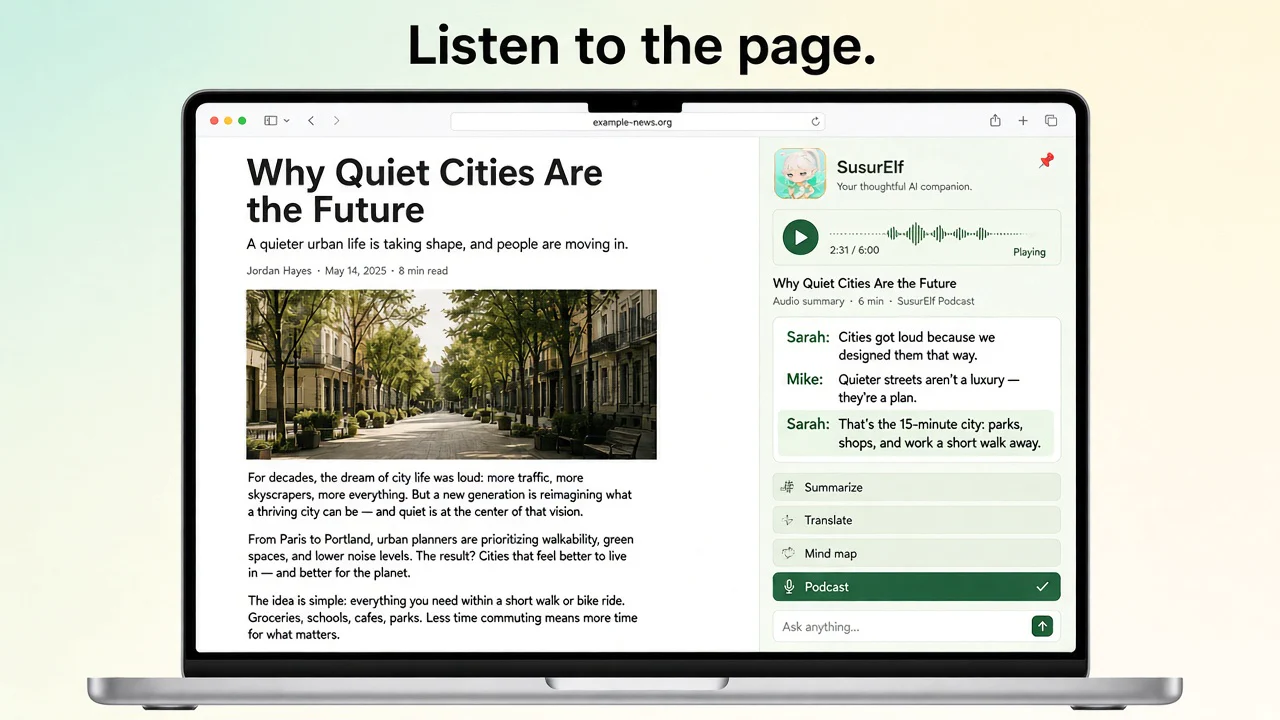
No link to paste. No file to upload. Open a long read, press one button in the sidebar, and two hosts — Sarah and Mike — start talking about it. Playback begins at the first line, while the rest of the episode is still being written.
How it works
-
1
Open the article
Any public page with real text: a long read, a research post, a doc.
-
2
Click Podcast in the sidebar
SusurElf pulls the main content of the page you’re on — the extractor is regression-tested on a 2,189-page benchmark corpus. Nothing to copy, nothing to paste.
-
3
Press play
The episode is written as a conversation and performed line by line, so the first line plays while the rest is still being written.
A conversation, not a reading
Two hosts, not one voice
Sarah and Mike react, disagree, and connect ideas. Not a word-for-word recital.
Every line is its own segment
Replay a single line, jump back, or regenerate a take.
It plays while you keep reading
The episode lives in the sidebar; scroll the page or switch tabs on this computer and it keeps going.
Also in the sidebar
Page summaries, bilingual translation, mind maps, and screenshot Q&A. On YouTube watch pages, a takeaways dock appears beside the player.
Works where you browse
Honest answers
Does SusurElf just read the article out loud?
No. Word-for-word read-aloud is what browsers already do. SusurElf writes a conversation about the article — two hosts talking through what it says and why it matters — and then performs it.
How long can the article be?
Up to 16,000 characters of page text per episode. The extractor takes the article’s main content and skips navigation, ads, and boilerplate; for very long pieces it works within that budget.
How long is an episode?
About 4–6 minutes — a 4,000-word article comes back as a 4-minute conversation.
What does it cost?
Episodes draw from your SusurElf credits. New accounts get 150 free credits (one-time, 14 days), and paid plans start at $1.99/month. The exact cost of an episode is shown before you confirm.
Can I download the episode or listen on my phone?
No — episodes play in the sidebar on the computer where you made them. There’s no audio export and no cross-device playback today.
Which browsers are supported?
Chrome, Microsoft Edge, and Safari (via the Mac App Store app).
New users get 150 free credits
One-time 150 credits, 14 days or until used. No card required.